
eXtensions - Thursday 9 April 2026
By Graham K. Rogers
iOS and iPadOS security updates and bug fixes arrived this week. Apple will release its Q2 2026 results on 30 April. The MacBook Neo is proving itself to be a useful and popular device. It has attracted much attention at my office and students are keen because of the price. It is, however, too popular and Apple is running low on the binned A18 chips that are used. A problem has been found with macOS on servers which should be able to run forever but stop networking after 49.7 days.
This week, Apple updated certain OS releases to version 26.4.1. This includes mainly bug fixes, but Benjamin Mayo (9to5Mac) notes that this release, "fixes a significant bug related to iCloud data syncing". I checked but there do not seem to be any updates for the Apple Watch or the Mac. We also note that Apple has been updating some apps in the App Store, although information about this is limited. Wesley Hilliard (AppleInsider) reporting on this speculates that it may be updating specific APIs connected to Apple's own OS changes. He notes that the "Why" is unclear but Apple may let us know some time in the future.
Apple has updated its Investor pages to show that its conference call to discuss second fiscal quarter results (2026 Q2) and business updates is scheduled for Thursday, April 30, 2026 at 2:00 p.m. PT / 5:00 p.m. ET. That should be at 4am here.
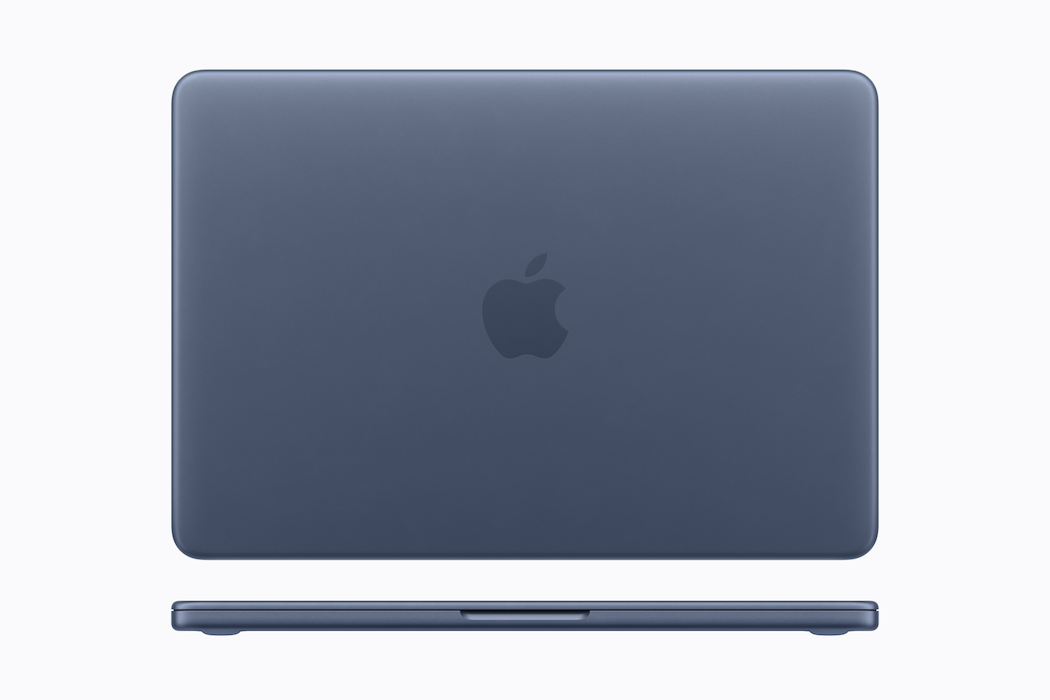
Although most of my work these days is on the M4 iPad Pro, I am using the MacBook Neo at times when I might have used the MacBook Pro. In general terms its performance matches that of the older device quite well. I have been working through 3rd party software to see if there are any problems. Graphic Converter was installed from the Apple Store and that is available with other image-editing software. I also downloaded the popular text editor, BBEdit and was pleased to see that it entered my details, including license number automatically. I did try to use it to write the last eXtensions comments. However, even after running a side by side comparison with the settings on the Mac mini, I could not make the version on the MacBook Neo wrap text properly. When I am done with a project at work (student proposals in English) I will allow some time to fix this. The annual Songkran holiday is next week, so I will be at home for the duration. According to Ed Hardy (Cult of Mac), however, the biggest problem for the MacBook Neo is that it is too popular (see below).
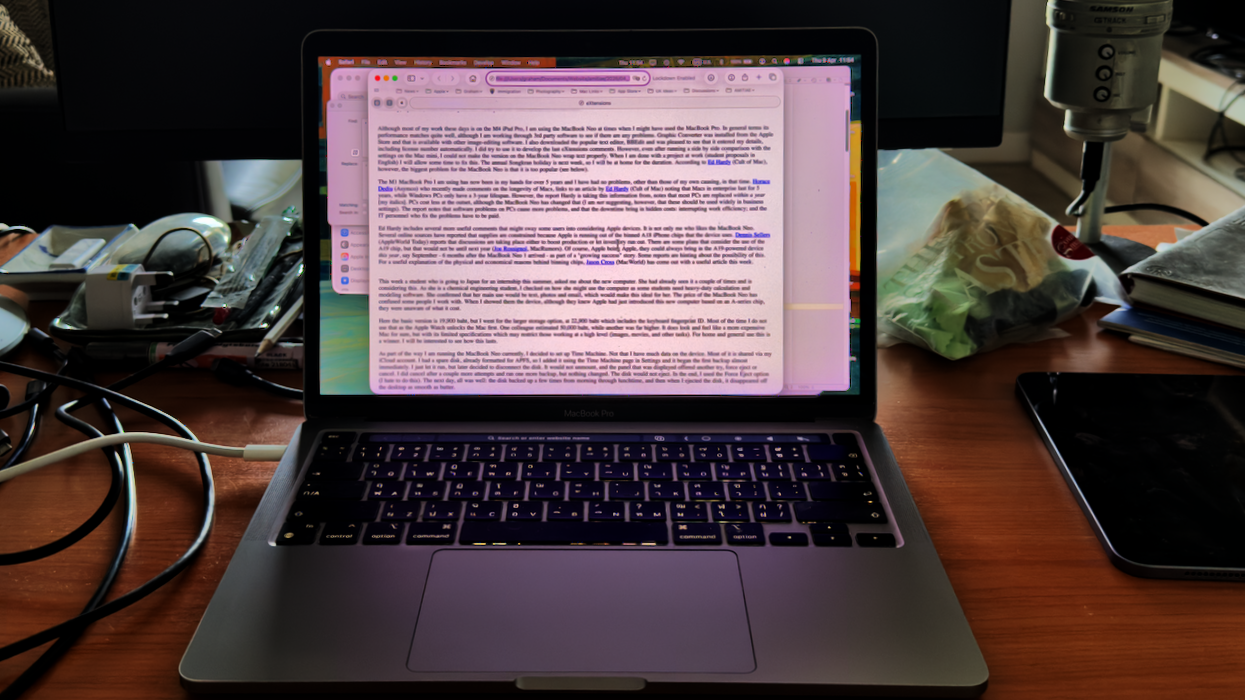
The M1 MacBook Pro I am using has now been in my hands for over 5 years and I have had no problems, other than those of my own causing, in that time. Horace Dediu (Asymco) who recently made comments on the longevity of Macs, links to an article by Ed Hardy (Cult of Mac) noting that Macs in enterprise last for 5 years, while Windows PCs only have a 3-year lifespan. However, the report Hardy is taking this information from, notes that most PCs are replaced within a year [my italics]. PCs cost less at the outset, although the MacBook Neo has changed that (I am not suggesting, however, that these should be used widely in business settings). The report notes that software problems on PCs cause more problems, and that the downtime brings in hidden costs: interrupting work efficiency; and the IT personnel who fix the problems have to be paid.
Ed Hardy includes several more useful comments that might sway some users into considering Apple devices. It is not only me who likes the MacBook Neo. Several online sources have reported that supplies are constrained because Apple is running out of the binned A18 iPhone chips that the device uses. Dennis Sellers (AppleWorld Today) reports that discussions are taking place either to boost production or let inventory run out. There are some plans that consider the use of the A19 chip, but that would not be until next year (Joe Rossignol, MacRumors). Of course, Apple being Apple, they could always bring in the A19-powered device this year, say September - 6 months after the MacBook Neo 1 arrived - as part of a "growing success" story. Some reports are hinting about the possibility of this. For a useful explanation of the physical and economical reasons behind binning chips, Jason Cross (MacWorld) has come out with a useful article this week.
This week, a student who is going to Japan this summer for an internship, asked me about the new computer. She had already seen it a couple of times and is considering this. As she is a chemical engineering student, I checked on how she might use the computer as some students need heavy-duty calculation and modeling software. She confirmed that her main use would be text, photos and email, which would make this ideal for her. The price of the MacBook Neo has confused some people I work with. When I showed them the device, although they knew Apple had just introduced this new computer based on an A-series chip, they were unaware of what it cost.
 Here the basic version is 19,900 baht, but I went for the larger storage option, at 22,900 baht which includes the keyboard fingerprint ID. Most of the time I do not use that as the Apple Watch unlocks the Mac first. One colleague estimated 50,000 baht, while another was far higher. It does look and feel like a more expensive Mac for sure, but its limited specifications may restrict those working at a high level (images, movies, and other tasks). For home and general use this is a winner. I will be interested to see how this lasts.
As part of the way I am running the MacBook Neo currently, I decided to set up Time Machine. Not that I have much data on the device. Most of it is shared via my iCloud account. I had a spare disk, already formatted for APFS, so I added it using the Time Machine panel in Settings and it began the first backup almost immediately. I just let it run, but later decided to disconnect the disk.
It would not unmount, and the panel that was displayed offered Try Again, Cancel or Force Eject. I did cancel after a couple more attempts and ran one more backup, but nothing changed. The disk would not eject. In the end, I used the Force Eject option (I hate to do this). The next day, all was well: it backed up a few times from morning through lunchtime, and then when I ejected the disk, it disappeared off the desktop as smooth as butter.
I tend to leave my Macs running, and just use sleep, rebooting once or twice a month usually. Servers however need to be kept running 24/7 and this has revealed a problem for those using some Macs: just before 50 days, with the Mac server running normally in every other way, network connections stop. Bruno Ferreira (Tom's Hardware) reports that a reboot would fix things, but that Bandaid approach is not really a solution to the problem. He reports that analysis by Photon revealed that the "tcp_now" internal counter was set to "a maximum value of 4,294,967,295" or 49.7 days. This is similar to the Windows 49.7 days crash. Ferrreira writes, that "this issue will likely be fixed quickly - and hopefully before 49.7 days after the report".
 A student came to talk this week about moving to a new project that uses radio waves - specifically WiFi - to detect if a person falls. I immediately had in mind an image from the first Robocop movie, in which suspects are seen and tracked through walls using infrared technology. I knew that there is research that has reported on detecting the presence of a person in a room using WiFi. Several articles can be found with a search using words from that last sentence. These include WiFi-based non-contact human presence detection technology (Nature). In that same search I also saw a readable article from Stan Kaminsky (Kaspersky) that looks not just at the presence of a person, but detection of movement. Kaminsky states that the router used must be to the IEEE standard 802.11ac (WiFi 5). The student's adviser is pushing her in the right direction.
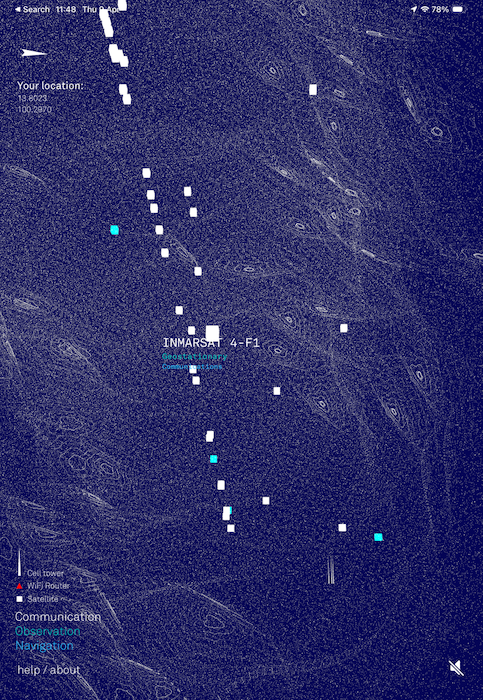
I had already seen some articles on this, but while chatting I was reminded of The Architecture of Radio. This allows app users to identify sources of radio signals: WiFi, carrier antennas, and satellites. As Thailand is close to the Clarke Belt where most satellites are positioned, it is interesting to see whose satellites are above us. The app also shows a visualization of radio waves around us which may be useful for the student as the writing progresses. The app is available for the iPad and the iPhone, although both versions only work in portrait mode.
Initially, I was unable to show the student how it worked. Later I realized that turning on Lockdown Mode could change the behavior of some apps. To check this, I had a close look at the settings, and saw a list of areas which are affected by this feature. At the bottom of the list is "Configure Web Browsing". This includes a list of apps I have used that are restricted in some way by the feature. To allow Architecture of Radio to access these signals properly, I had to turn off the protection for the app.
I had a small fright last week when I began to see images from 2008 appearing in the Photos library. This is usually sorted in date/time order. I checked two other devices I had with me at the time, but these were unaffected. A later check revealed that I had accidentally changed the display settings in Photos. At top right of the screen is an icon with 3 lines in a transparent circle. The top two items are "Sort by Recently Added" and "Sort by Date Captured". I had accidentally selected the first. The old images had appeared because when I added the MacBook Neo, all images and videos were synchronized, but this seems to work last, first. The most recent images appear almost as soon as the sync starts, but the earlier images are loaded in the background, but must have been identified as Recently Added. I selected the Date Captured option and all was well.
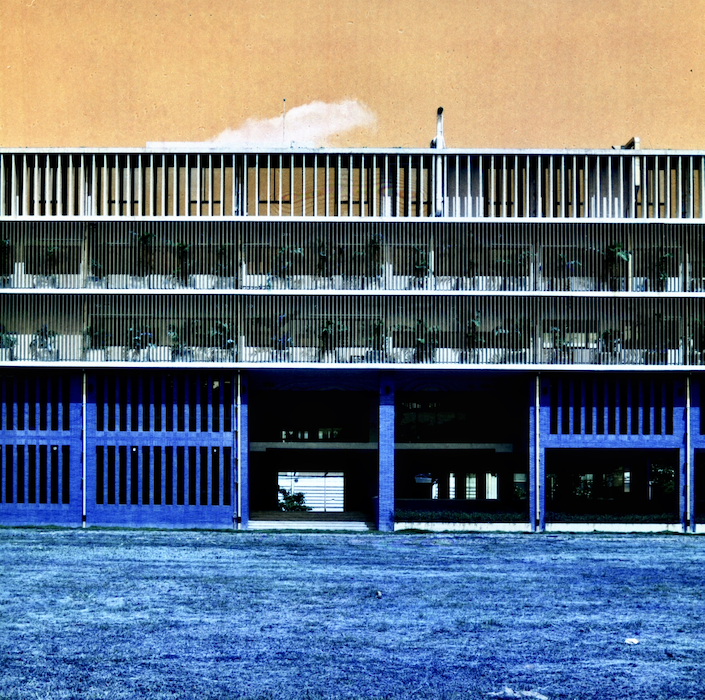
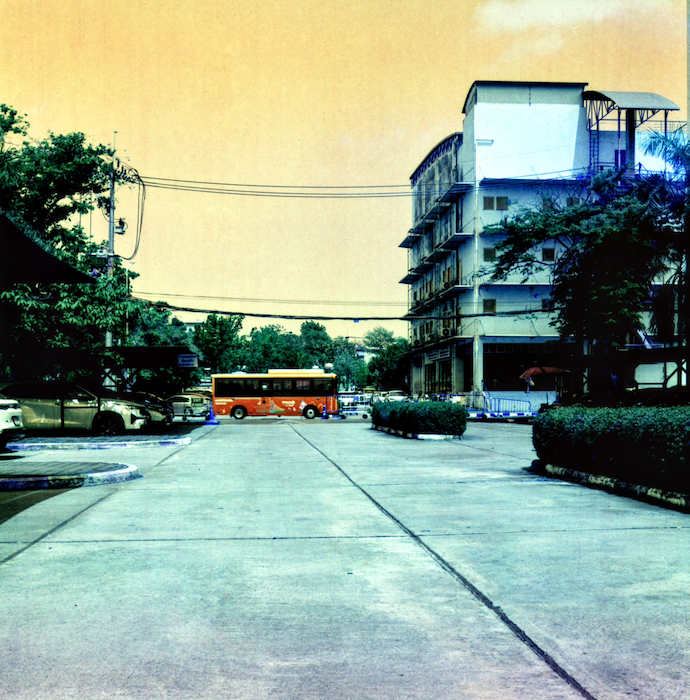
The problem I had with my Hasselblad camera was fixed quickly and I used a full roll of the new Harman Switch Azure at the Faculty of Engineering as a trial run: both the film and the camera. The camera works fine, although the jury is still undecided on the film. I may need to increase the exposure, particularly for shadows, but the results from a well-lit scene are satisfying and justify the term Switch in the film name. Reds become blue, greens are mainly unchanged, and blues are changed to orange: that EV campus bus is a dark blue in reality. While I prefer working in black and white, it is good to experiment with color once in a while. As a note, the grass in the image below is blue because it is dried out with the current hot weather.
|
|
Graham K. Rogers teaches at the Faculty of Engineering, Mahidol University in Thailand. He wrote in the Bangkok Post, Database supplement on IT subjects. For the last seven years of Database he wrote a column on Apple and Macs. After 3 years writing a column in the Life supplement, he is now no longer associated with the Bangkok Post. He can be followed on X (@extensions_th). The RSS feed for the articles is http://www.extensions.in.th/ext_link.xml - copy and paste into your feed reader. No AI was used in writing this item.

For further information, e-mail to
Back to eXtensions
Back to Home Page