eXtensions - Monday 4 May 2026
By Graham K. Rogers
Despite the wide availability of digital cameras, film is not only still being made, but new films are appearing. I had problems with large scanned images that had not existed before. Hidden costs of AI for photographers and why many are seeking out alternatives. Adobe decline: their own worst enemy? New macOS tethering app, Tether Studio: download, test, purchase.
As someone who likes taking photographs, I use a number of cameras: iPhone,
DSLR, and film. With the analog cameras I prefer medium format (120) although
do have a couple of 35 mm cameras (135). A good part of my film photography is
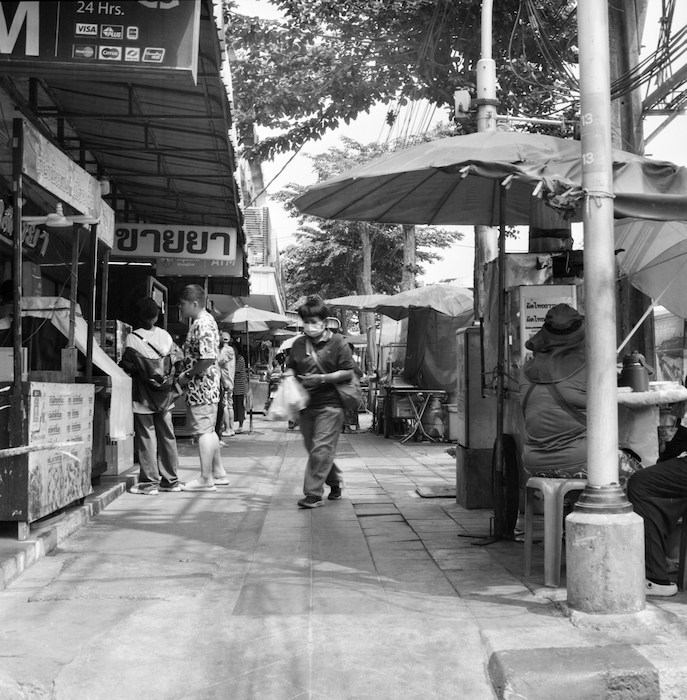
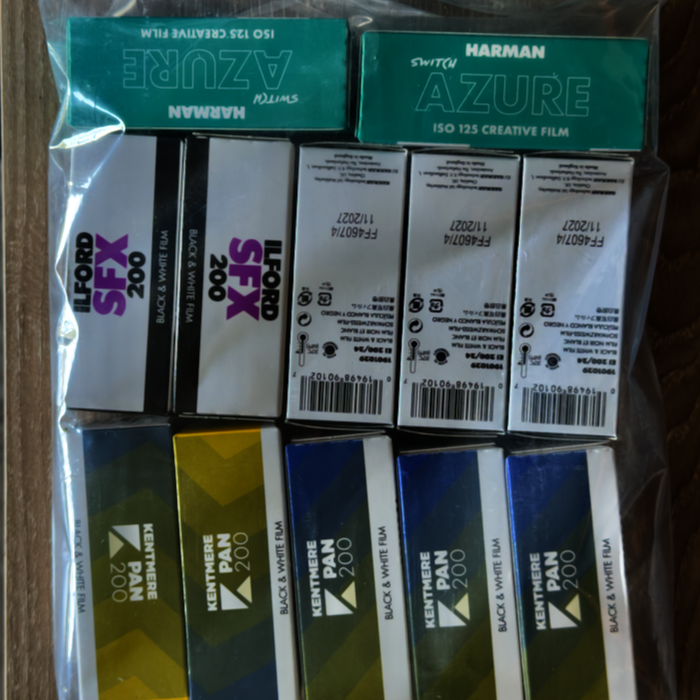
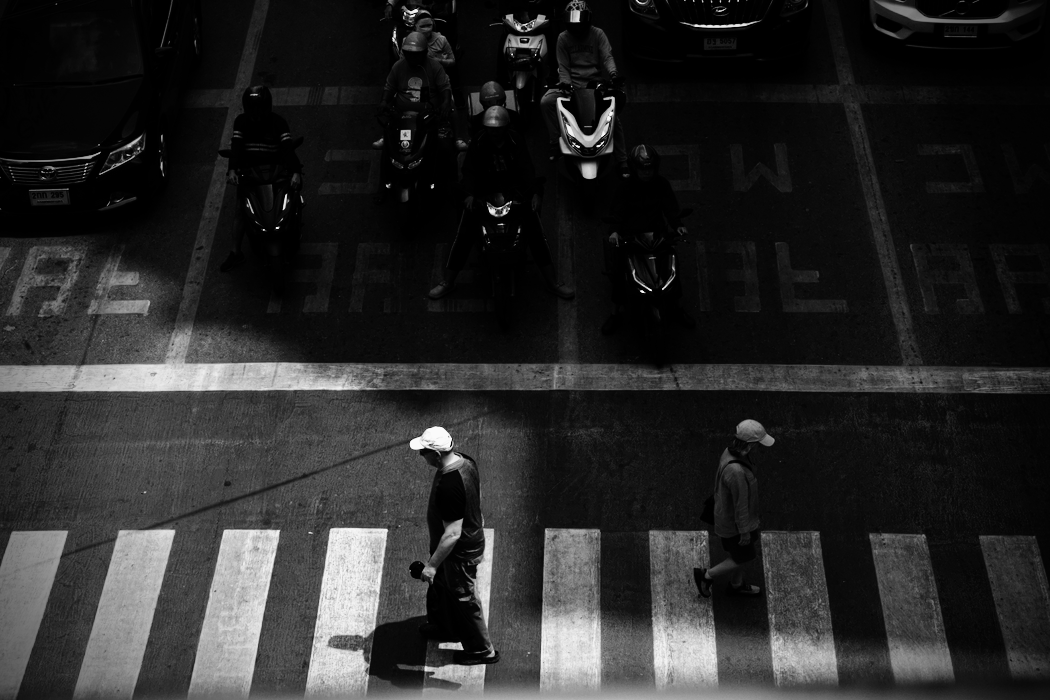
black and white, but I do experiment with color films, particularly when new ones are released. I use a range of films, although tend to favour Ilford SFX
200. I used Ilford when I was in my pre-teeens and just playing with cameras,
although even then I did have the occasional good shot. At that time, it was
unusual to see color film. It was not widely available, although it had existed
for many years of course and only overtook black and white in the late 1960s.
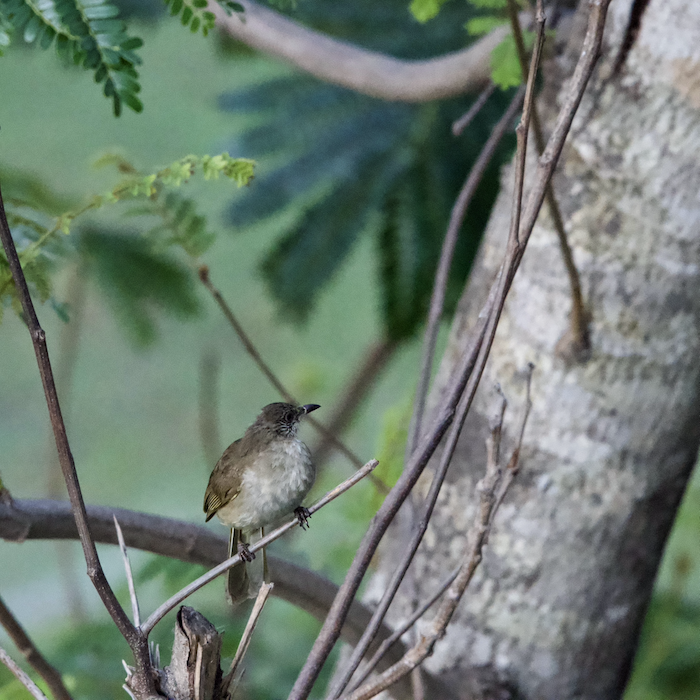
By the 1980s I was using color regularly. This continued when I moved to Thailand and bought my first SLR cameras. Then there was digital. I bought my first DSLR in the early years of the century: a Nikon D70. That was the camera I used for 2007 MacWorld. I later bought a D7000, but when the Nikon D850 came out, I bought this as soon as it was available here. I still use this, and although there are now mirrorless cameras, I would seriously consider buying another D850 if I needed a replacement.
|
|
Neither the DSLR nor the film cameras make me a professional
photographer. I am, and always have been, an enthusiastic amateur. When I was
writing a regular column for a newspaper, I did include several images over the
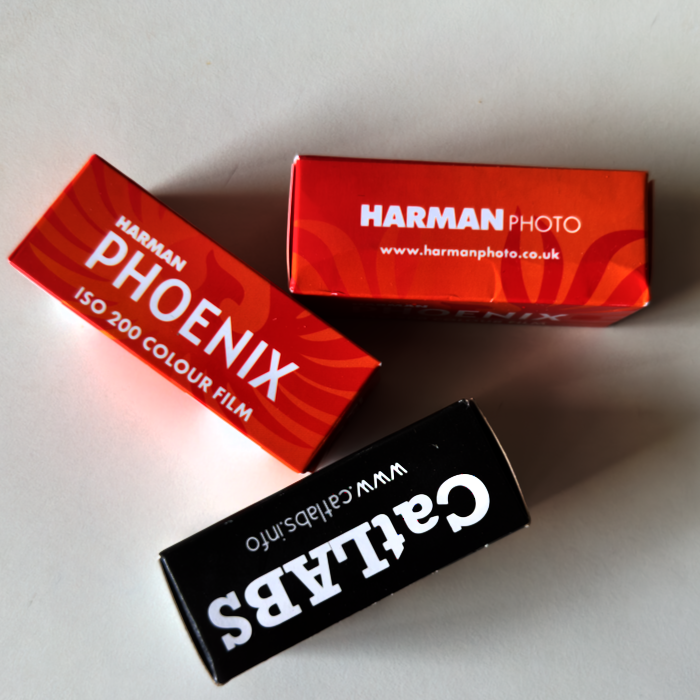
years, but they were supplemental to the text. I tend to take a film camera with me more than the DSLR nowadays. Recently Harman, the company that owns Ilford has produced some color films. This is marketed as Harman to draw a clear line between the well-regarded Ilford output and this new, somewhat experimental approach.
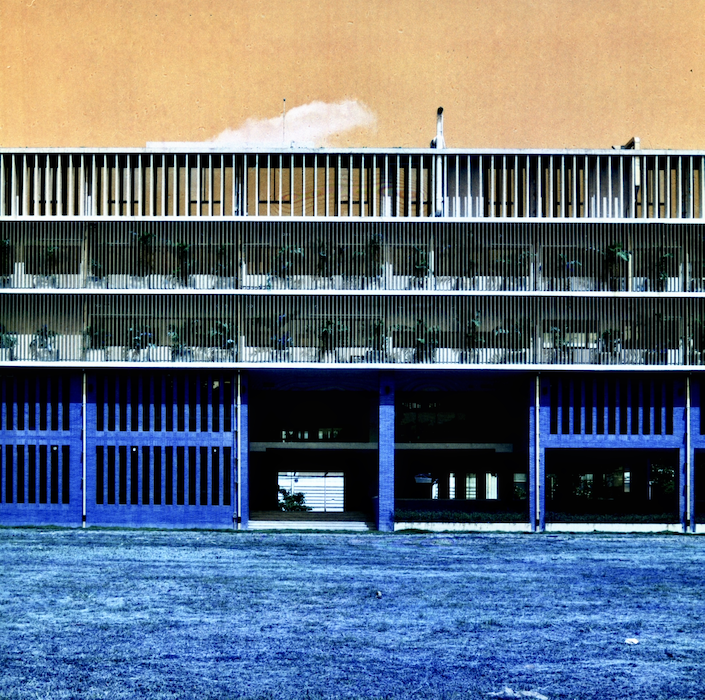
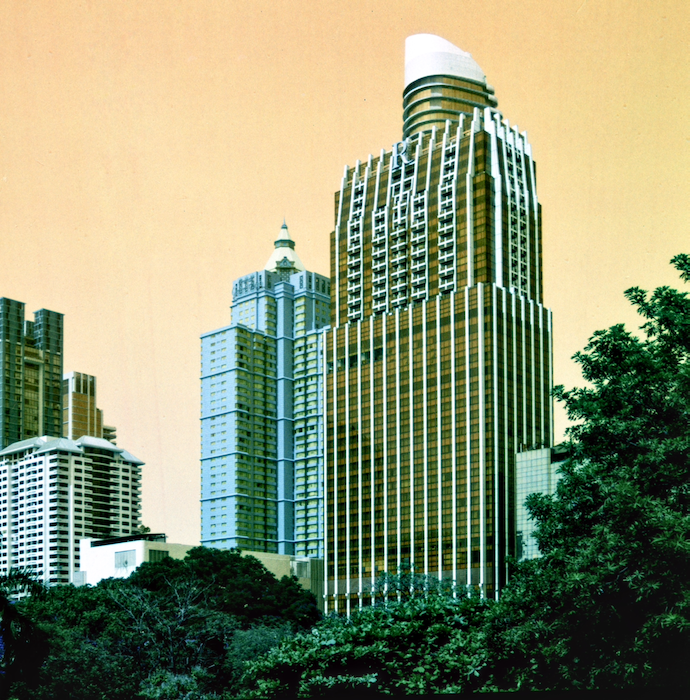
This began with Phoenix, then the emulsions were tweaked for Phoenix II. Harman recently also released a new Switch Azure film which changes the colors (as the name suggests). The company also released its Red film (with obvious results) in early 2025, but that was only available in 35mm rolls until recently. As soon as I found that Red 120 existed, I ordered some which should be with me this week.
|
|
I prefer to scan my own negatives as part of the workflow. I use a Canon 9000F flatbed scanner. I enjoy seeing the image appear and imagine how it might be edited to produce the image I initially saw when I took the photograph. That often includes straightening the image, and adjusting perspective. I always need to crop the scanned negative as I deliberately scan outside the image. Other edits include, brightness, contrast, highlights, shadows and other basics. With some scans I need to use a tool to deal with dust. I avoid the AI Clean Up in Apple Photos and work with Repair in Photomator. I am not a fan of AI on principle either for writing or photography (see below).
I was therefore less than pleased to see the news from Lou Hartle (AppleInsider) that Apple is to revise photo-editing tools on its platforms in iOS 27 to " including extend, enhance, and reframing options." Hartle notes that (as above) some users complain "that it often creates artifacts or fills areas with inaccurate detail." Trying to use the Clean Up repair tool is far less satisfying than the repair tool in previous versions of Photos which is why I switch to Photomator when I need this. I shall be avoiding these unethical editing tools for my images. Ed Hardy (Cult of Mac) adds that the Photos interface is expected to be redesigned - that is long overdue, especially for the iPad and iPhone. This will group "new capabilities under an "Apple Intelligence Tools" section" which sounds as if I will be able to keep these new features out of the way.
My scanned black and white TIFF images are usually around 60 MB. Scanned color images are larger at just over 180MB. Recently, I noticed some odd behavior with the scanned color film files. Editing was not a problem on the MacBook Pro, but when I tried on the M4 iPad Pro, those images I tried would not load unless they had already been edited on the Mac: the device on which they had been scanned. The iPad Pro had been fine before. The same happened with the MacBook Neo. Older unedited black and white images could be edited on all devices with no problem. I also found that unedited colour images from 2025 (with the same file size as those I had just scanned) could be edited.
I considered three possible reasons for this inability to edit on the iPad Pro or MacBook Neo. The specific film was causing a problem: unlikely as a scan is a scan. The image was not being transferred properly (through iCloud) to the other devices: possible. My recent use of Lockdown Mode was causing transfer problems. This was a possible cause, however, when I tried on the Mac mini at work after the weekend, the unedited images opened without problem. I will check on other color films I scan in the future, although this is a workflow problem as once a minor edit is done on the Mac, I am able to edit the image without interruption. I am still scratching my head on this.
|
|
I mention above about my dislike for AI. Writing is part of the thinking process and the effort of writing (preferably by hand in initial drafts) teaches students more about the problems they are working on. With photography, as with writing, there is an ethical aspect to the creativity. I keep all the original scans on a disk, as well as the negatives (in a drawer). With the DSLR, I export all of the RAW images to disk. I am aware that some software makes AI tools available, but avoid these as much as I can. What I did not realize is that, not only are professional photographers paying expensive subscriptions for the software, but that they are also charged for the use of the AI tools. Craig Beohman
(FStoppers) explains the use of credits and how some developers apply these.
With the way AI works (or sometimes doesn't) photographers could find themselves "paying extra for results that aren't even close to what [they] needed". Boehman explains several examples of failed AI edits - I had problems when reading this, trying to understand why anyone would do this anyway - and that "every attempt burns another credit." In a report on the latest updates from Adobe which looks generally at the new features, Kate Garibaldi (PetaPixel) does, however mention that, "To improve transparency, Adobe has added a Generative Credits Usage panel, giving users a clearer breakdown of how credits are consumed across different tools and models." I presume that means users can watch how fast their money is being spent as they edit.
As Boehman explains, in the old days, an edit was an edit: "[you] moved some sliders around, cloned out a distraction, and called it a day". Now, "Generative Fill is a billable event" as are other editing operations. Normal editing is part of the subscription, but "AI-assisted or cloud-powered operations get counted, tracked, and capped". And charged. He explains how four editing suites do this: Adobe Photoshop, Evoto AI, Retouch4me, and Aftershoot. I am unlikely to use any of these. This horror story of hidden charges has added to my distaste for AI in photography. I can understand why any one image may need changes to bring out the best. Adjustment feels ethical to me; not AI replacement. But I am not a professional photographer and do not have clients to please.
Following this, Alex Cooke (FStoppers) writes a scathing article on
how Adobe is failing users in becoming more like a utility company than a
developer of what was once considered the gold standard in photo-editing
software: "[it] expected you to keep paying because switching was too painful." With some of the changes that Cooke and Boehman report on, maybe switching is a far less painful alternative. In literary terms, Adobe has become an overreacher (Marlowe): once the top has been reached, there is nowhere to go but down, and Adobe seems to be doing nothing to slow that descent.
Added to this, long time writer on Apple and former editor of MacWorld, Jason Snell (Six Colors), picks up on comments from blog writer, Marcin Wichary, who reacted negatively to the new Adobe interface design, noting that things are misaligned. Snell notes that the interface is being changed so that all versions of its software, on any platform look alike. We have seen similar recently with the frustrating Netflix interface changes on Apple TV. Snell adds that "companies like to imply that changes of this sort are of benefit to their customers". I often wonder, with Apple for example, if anyone actually thought about the user when changing an interface element. Snell, writes, "That all said, of course, this decision could benefit Photoshop users, because Adobe could put in the work to make the app better while also fulfilling its own corporate goals of homogeneity", adding, "Ha ha ha. Sorry. I tried to write that with a straight face."
He also includes some interface screenshots. If my students produced unaligned content like this, I would send it back with a terse note. His conclusion is worth a read: "what I will say is that this sort of stuff should never have been exposed to anyone outside of Adobe, and that the people who think shipping this sort of thing is fine deserve a very stern talking-to. That is, if there's anyone left at Adobe who cares about anything." That last line is a killer.
Some photographers find tethering a useful tool: the digital camera is
connected to the computer and suitable software allows control of the
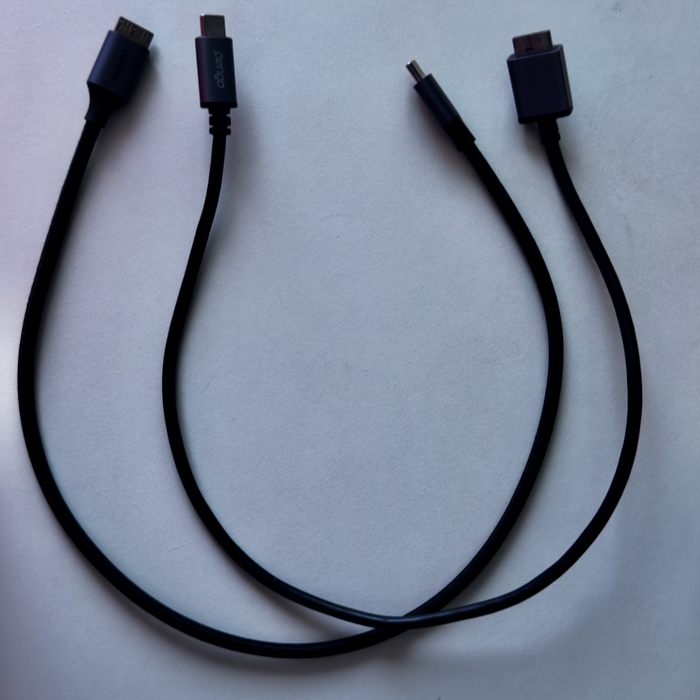
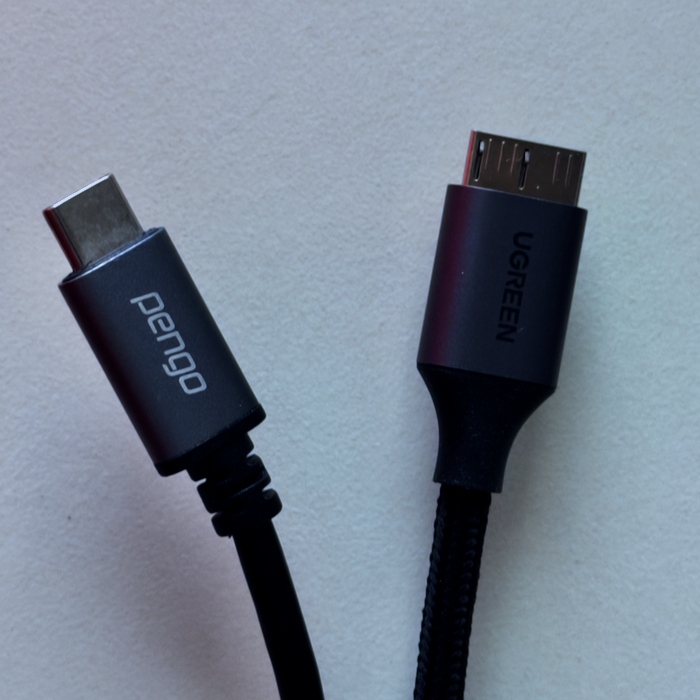
camera. The user can capture and then view images on the larger screen of the device. I sometimes use this in teaching. With the Nikon D850 I use USB-C to USB-micro B cables. These are not easy to find here. I have bought Pengo and Ugreen cables online which work fine. Z-series cameras from Nikon have USB-C ports.
|
|
Tethering used to be possible with Aperture (much missed), but when
that was no longer available, I tried other software. One application from
Germany that worked well just vanished. Some camera makers (like Hasselblad)
develop their own software. I can only find one application that works with
Nikon cameras on the Mac, but that does not recognize Thailand in its payment
interface and never replied to messages I sent about this.
This week in Petapixel, Kate Garibaldi writes of a frustrated photographer, John Barnard, who wrote his own tethering software after experiencing a broken connection while working. Garibaldi notes that this "came after years of frustration with increasingly expensive and restrictive software ecosystems that he felt no longer aligned with how photographers actually work on set" (see above). Barnard's Tether Studio is designed for Macs and supports some 2900 cameras, including my Nikon D850.
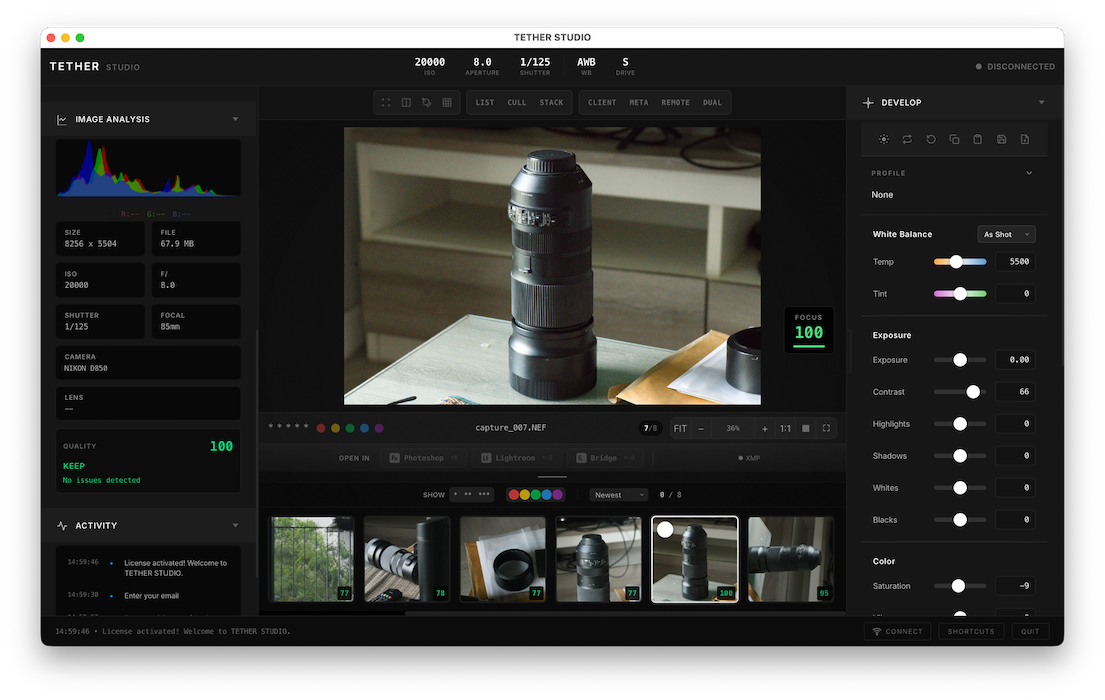
The app interface looks good: as if a real photographer had thought it all out, instead of a committee at a major developer. Another plus is that this app has a one-time payment of $99, rather than a subscription. Each license covers 2 computers. There is an option to try the app free, so a user can have a serious look before committing to the investment. This is how software used to be made available.
I installed the trial software on the MacBook Neo first, just to see if this
would work on this new machine. It did require me to install Rosetta and I
wonder if this could be a problem in the future as Apple moves away from its
Intel past. I sent a note asking about this. Within a couple of hours, I had a reply - on a Sunday morning no less - confirming that a soon-to-be-available update would cover the query.
Once installed, I needed a verification code which was sent to my email address. I had to check the Junk Mail folder to retrieve this. Once verified, the app offered me a connection to the camera via WiFi or USB. I chose the latter, and the Mac reminded me that the USB port nearest the rear would be the best option. I took some test shots and these appeared in the center panel shortly afterwards. There was a slight delay - maybe a second or so as the image was transferred and processed - but that is unlikely to be problematic.
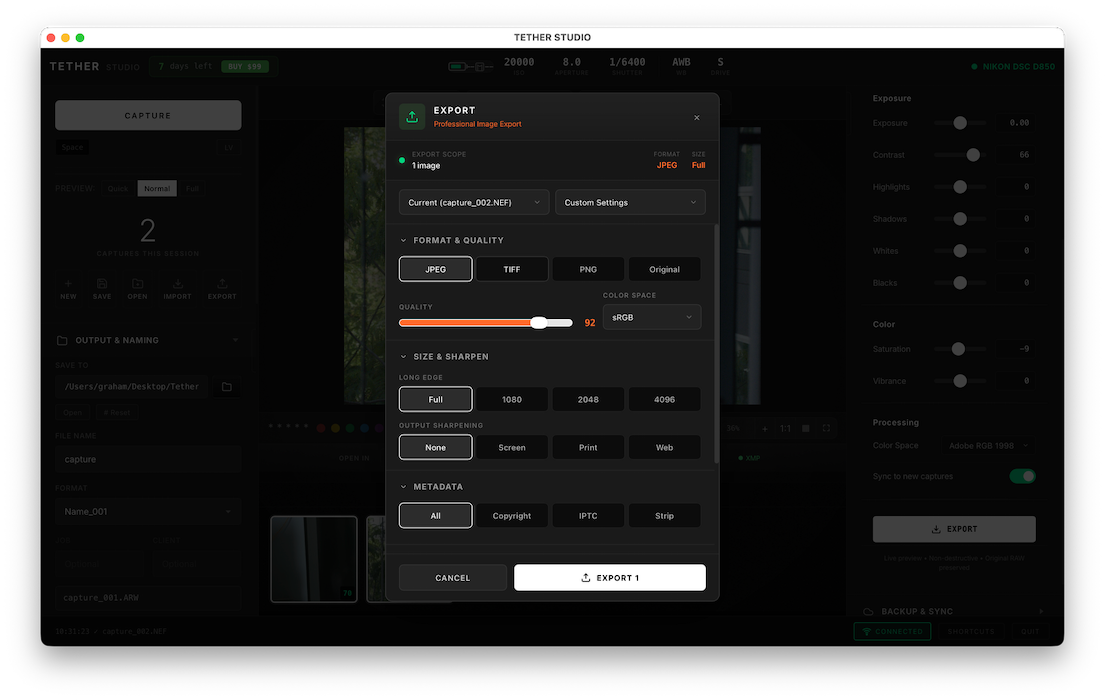
Images are saved to a dedicated file on the desktop. With the second lens, there were a couple of failed shots because of focusing difficulties. In a normal tethering situation I would expect to use a tripod. Neither lens was identified in the metadata, although the focal length was included and other useful information. The interface has tools for the capture on the left. On the right is a useful editing interface, so it is possible to capture, edit, then export (JPG, TIFF, PNG, Original) in a number of pre-selected sizes, with or without metadata. There are also custom settings, including Web Ready.
Having played around with this application for a short while, and later chatted in email with John Sargent of Tether Studio, I am more confident about Tether Studio than I have been with any tethering software since Aperture and had little hesitation in buying the license. I did note that although the price was listed at $99, the software recognized that I was in Thailand and added 7% VAT ($105.93). The payment process was simple, and I was then able to activate the license from within the software.
Graham K. Rogers teaches at the Faculty of Engineering, Mahidol University in Thailand. He wrote in the Bangkok Post, Database supplement on IT subjects. For the last seven years of Database he wrote a column on Apple and Macs. After 3 years writing a column in the Life supplement, he is now no longer associated with the Bangkok Post. He can be followed on X (@extensions_th). The RSS feed for the articles is http://www.extensions.in.th/ext_link.xml - copy and paste into your feed reader. No AI was used in writing this item.

For further information, e-mail to
Back to eXtensions
Back to Home Page